Coinlytics
Bringing Real-Time Crypto Data to iPhone Widgets
Coinlytics is a crypto analytics app that helps users track live prices, portfolio performance, and market trends through customizable iOS widgets. The app brings powerful blockchain insights directly to the iPhone home screen.
Role
Solo Product Designer
Timeline
2 Months
Platform
iOS
Team
Developer, Stakeholder
Overview
Context
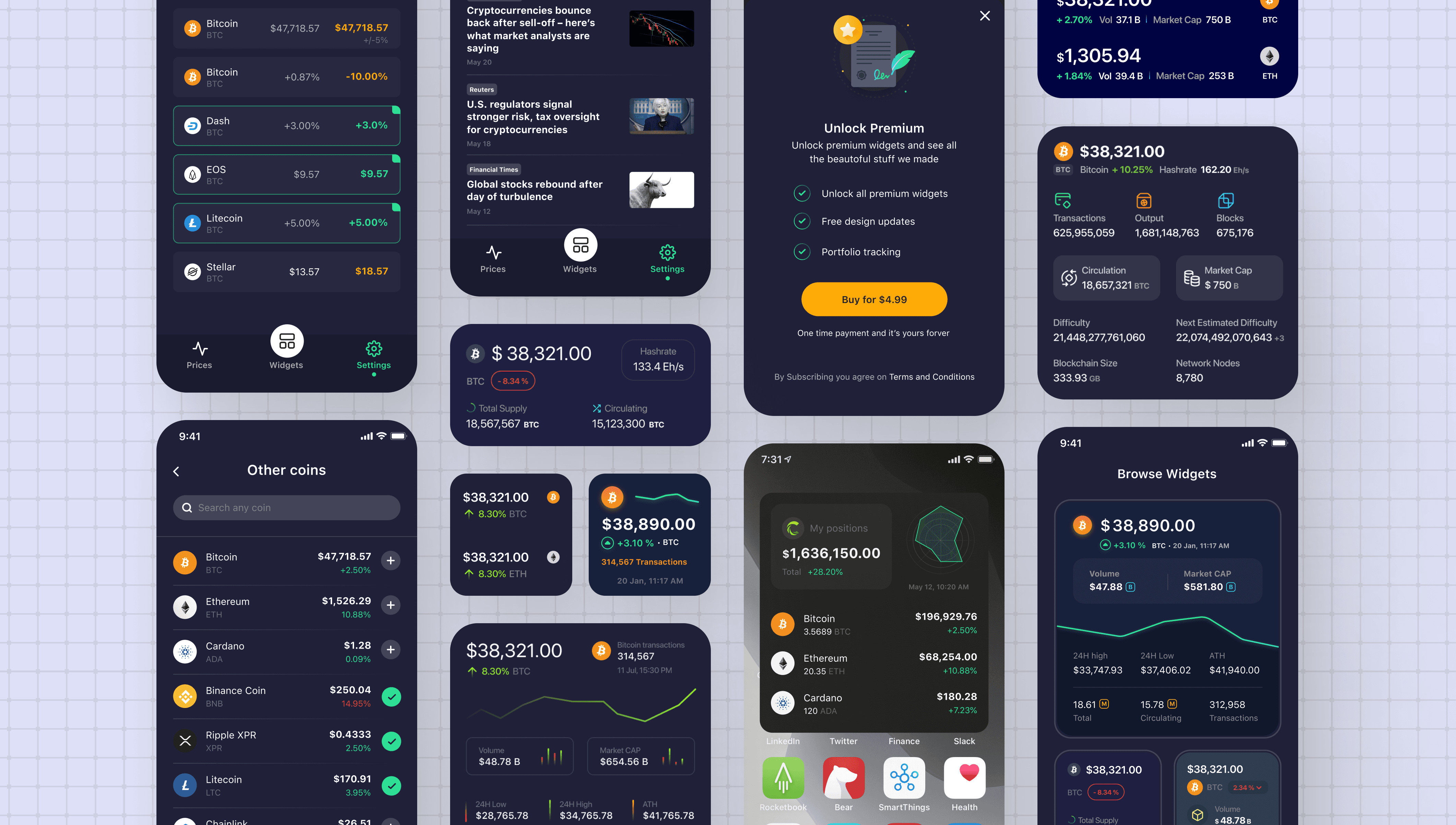
Coinlytics started as an iPhone widget app displaying detailed crypto prices directly on the iOS home screen compared to other crypto widgets in the market. It evolved beyond price tracking into a comprehensive analytics tool, adding advanced price alerts, portfolio management, and currency conversion. The widget remained central, but the app expanded to serve crypto investors needing deeper insights and control.
The Challenge
iOS prevents adding widgets directly from apps, requiring setup guidance. Widgets needed comprehensive crypto data on tiny screens without overwhelming users. Competing apps offered basic widgets. I needed unique designs across sizes to differentiate while maintaining clarity.
My Solution
I created a video tutorial guiding users through iOS widget setup, designed three widget sizes displaying comprehensive crypto data with smart information hierarchy, and built a library of 100+ customizable widget designs across themes and sizes.
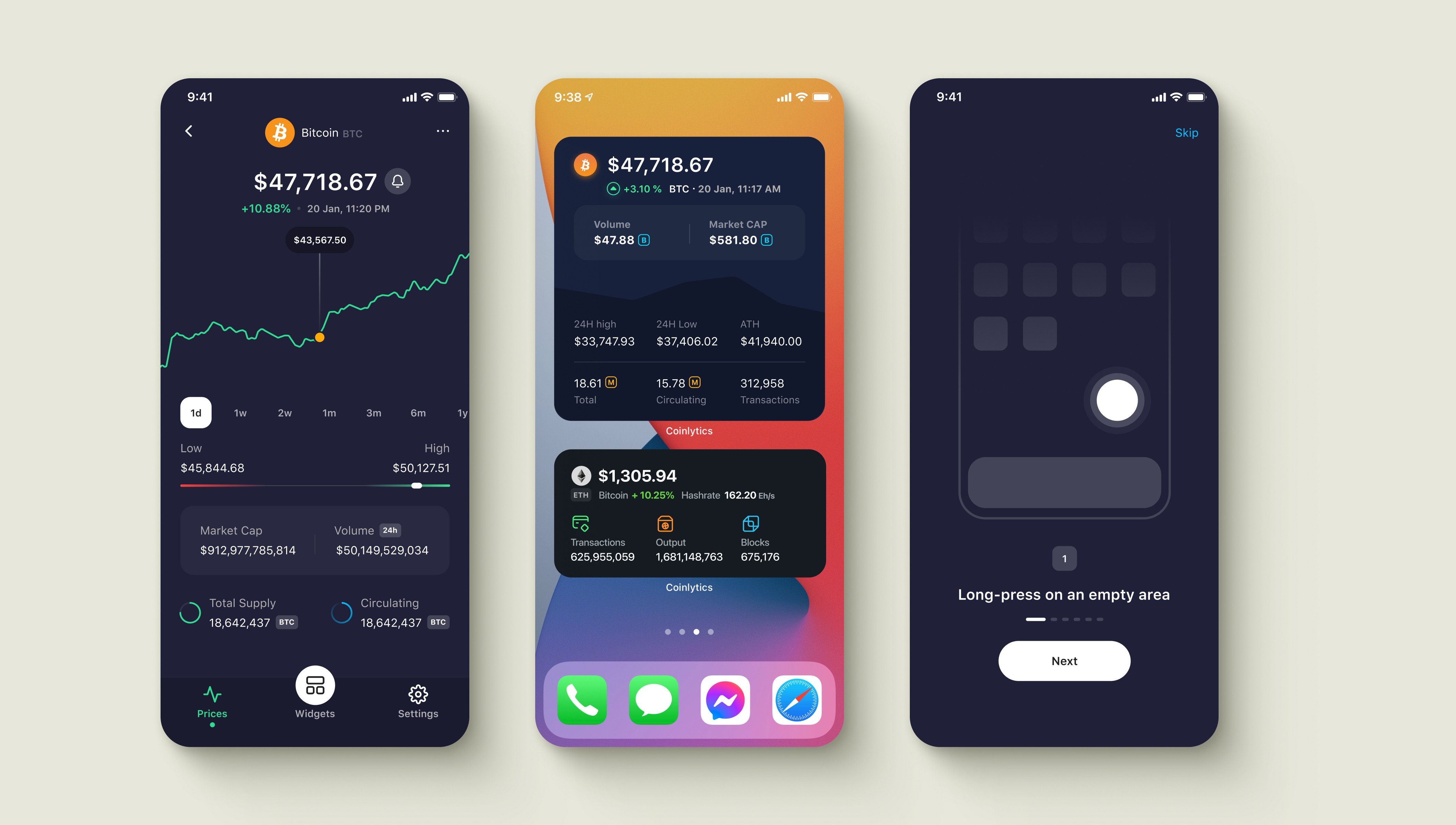
Pricing, Widget and Tutorial
Challenge
Creating widgets that show maximum data in minimal space while solving iOS setup friction.
iOS Widget Setup Friction
iOS widgets cannot be added directly from apps. Users must exit to the home screen and configure widgets through system settings. Without clear guidance, users would download the app but never complete widget setup.
Information Overload
Widgets promised comprehensive crypto analytics on tiny home screen spaces. I needed to display price, percentage change, volume, market cap, and blockchain metrics without overwhelming users or sacrificing readability across three widget sizes.
No Visual Variety
Competing crypto apps offered basic widgets with limited customization. To differentiate Coinlytics, I needed to design 100 unique widget variations across sizes and themes, giving users visual choice while maintaining data clarity and brand consistency.
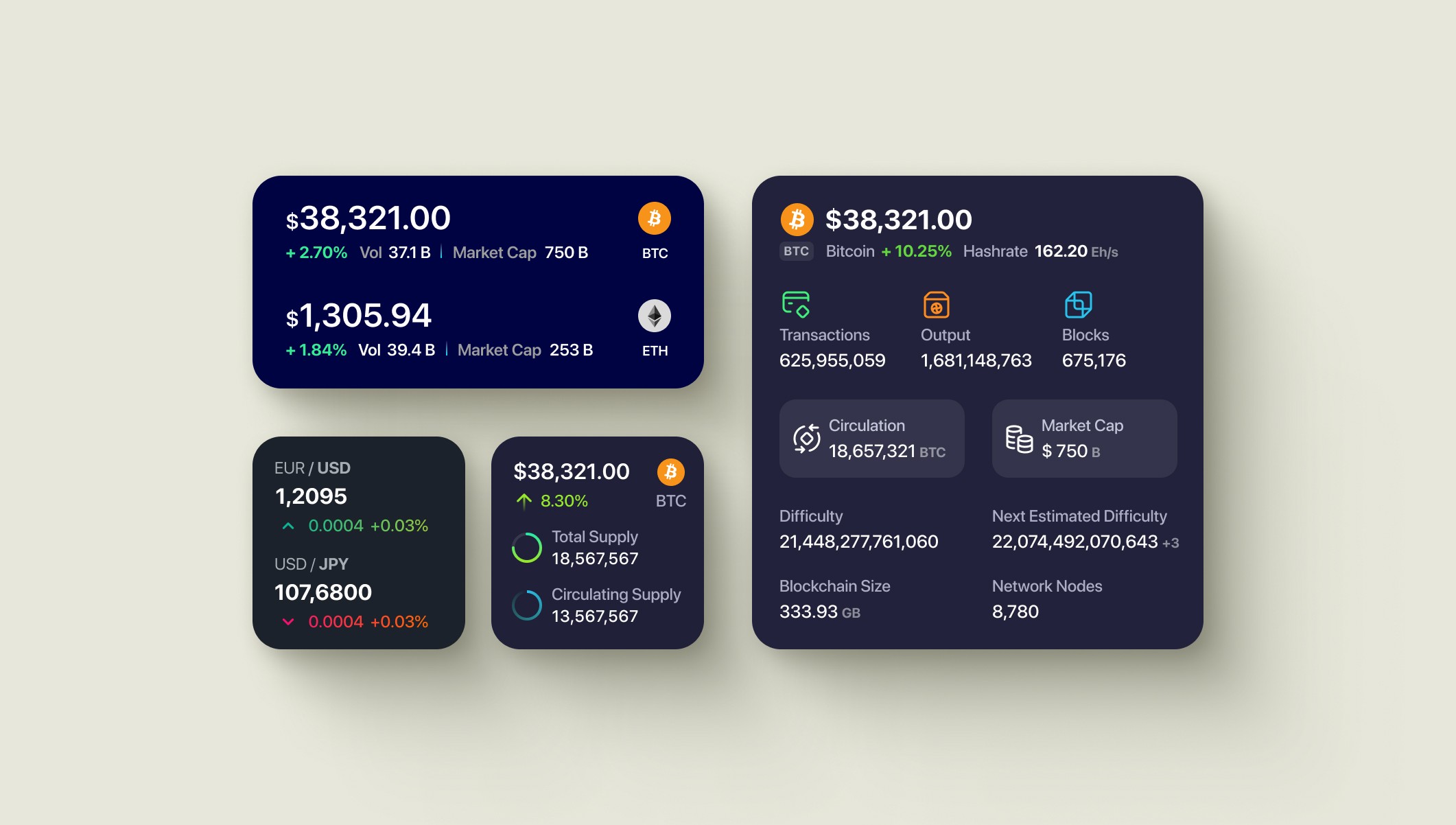
Small, Medium and Large Widgets
Research and testing
Discovery and Validation
Identified Gaps
I analyzed widgets from major crypto apps to understand how they displayed price data and identify missing functionality. Most showed only basic price and percentage change. Advanced metrics were absent.
Reviewed iOS Widget Guidelines
Apple's widget guidelines recommend showing minimal information to avoid overwhelming users. However, Coinlytics served expert crypto investors needing comprehensive data, not simplified views.
Test Widget Setup Flow
I tested illustrated guides, video tutorials, and external guidelines with 5 users. Video showing actual installation won, with 80% successfully completing setup versus other methods.
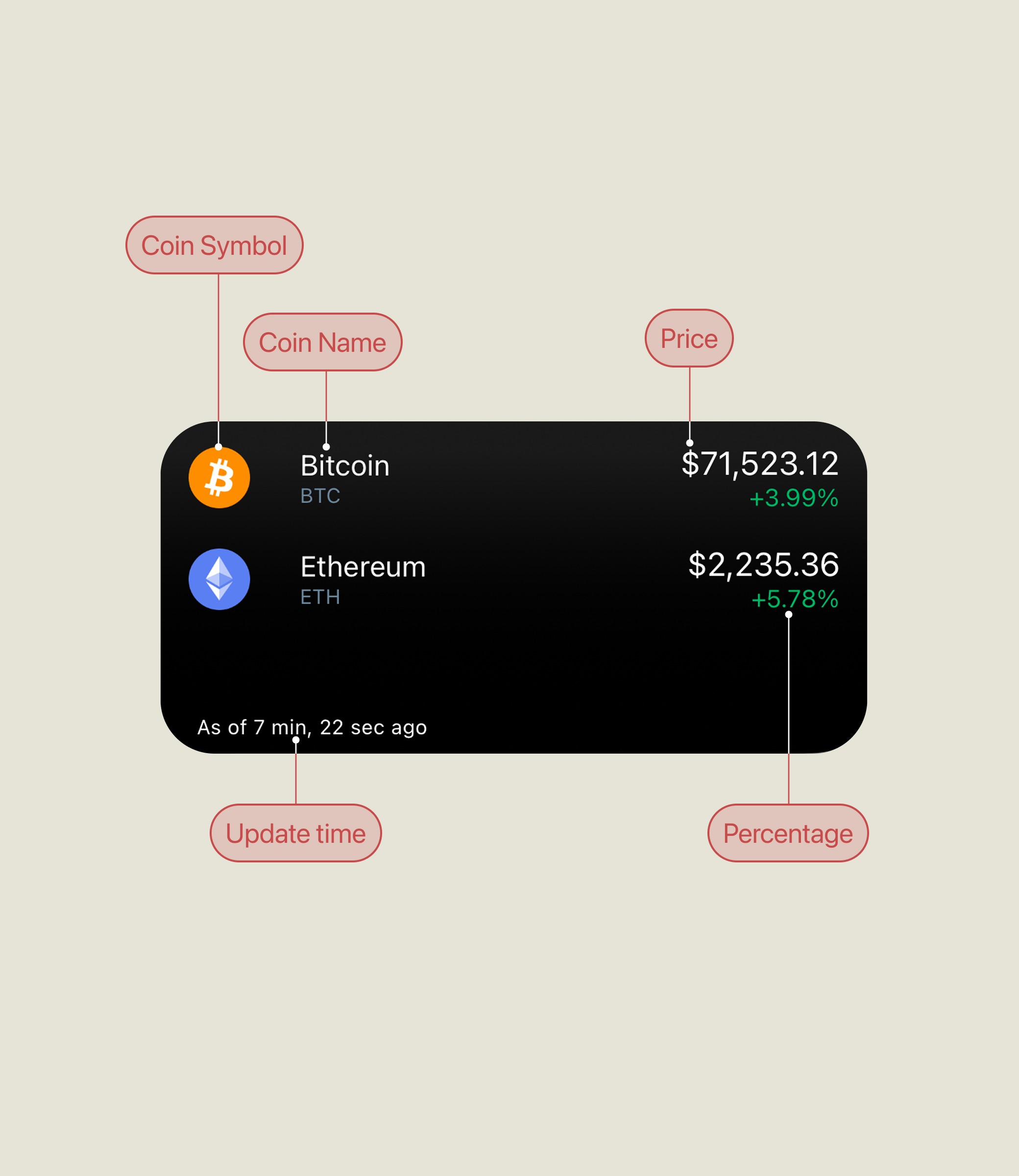
Coinbase Widget
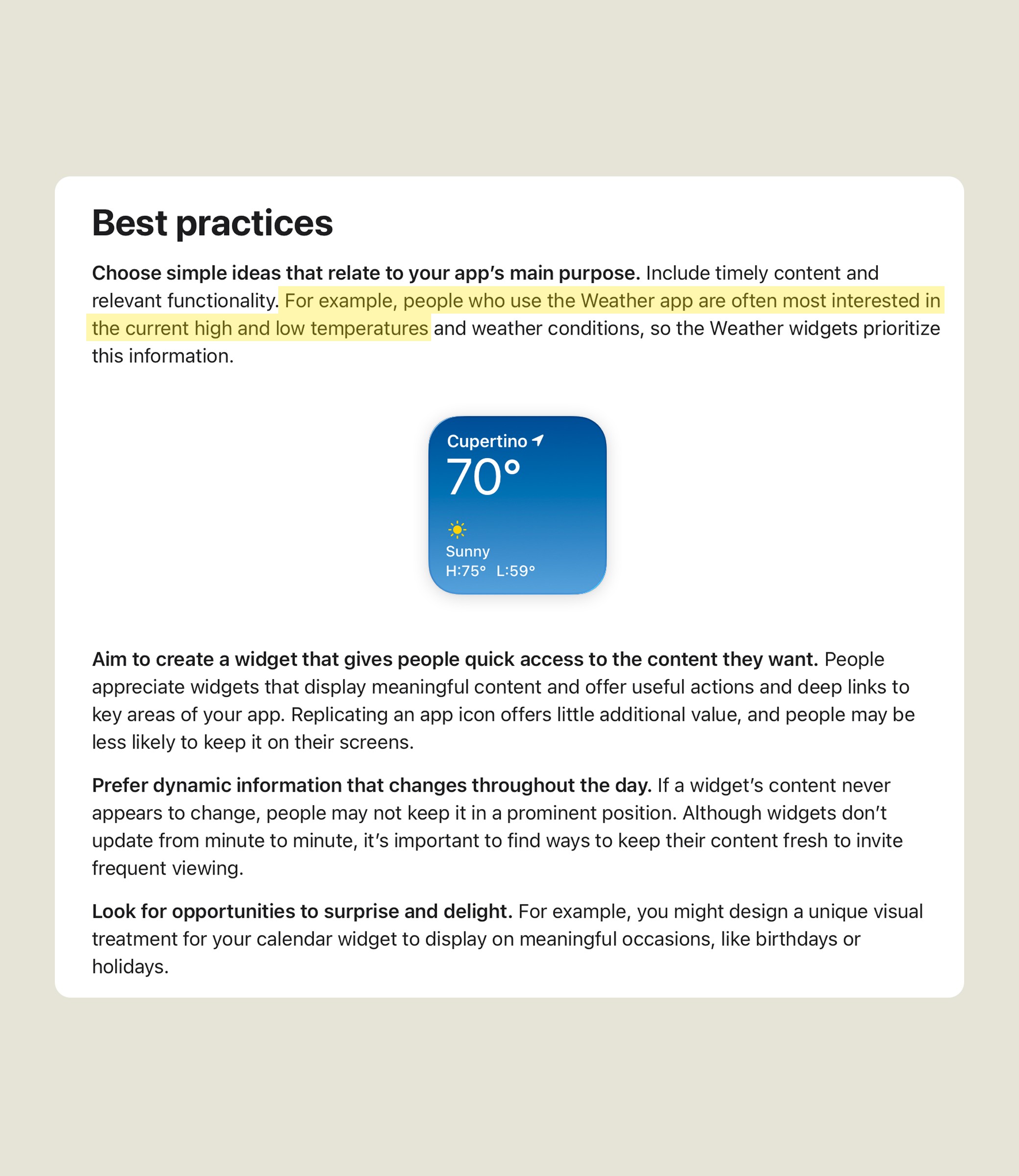
iOS Guidelines
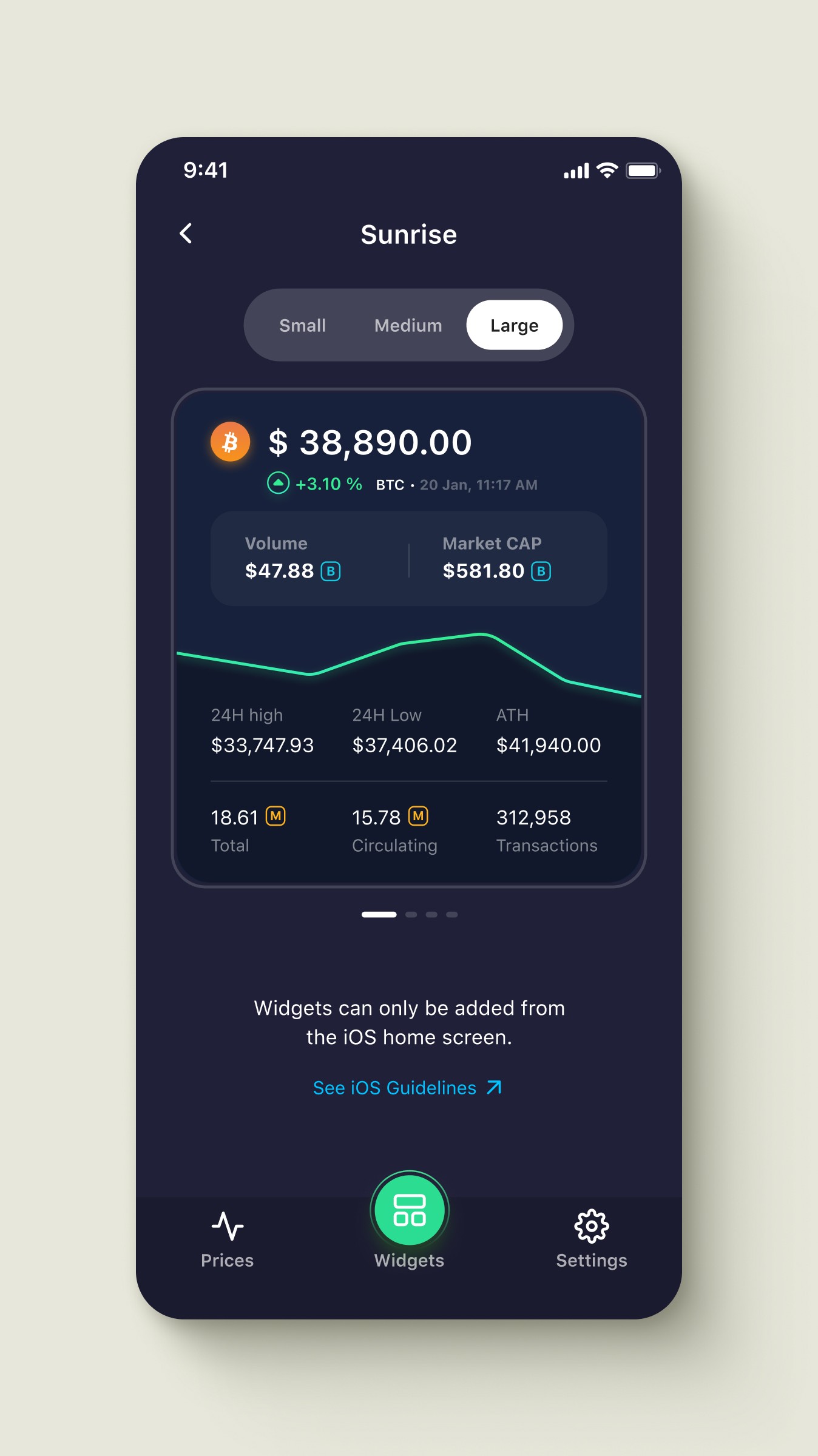
External Guidelines
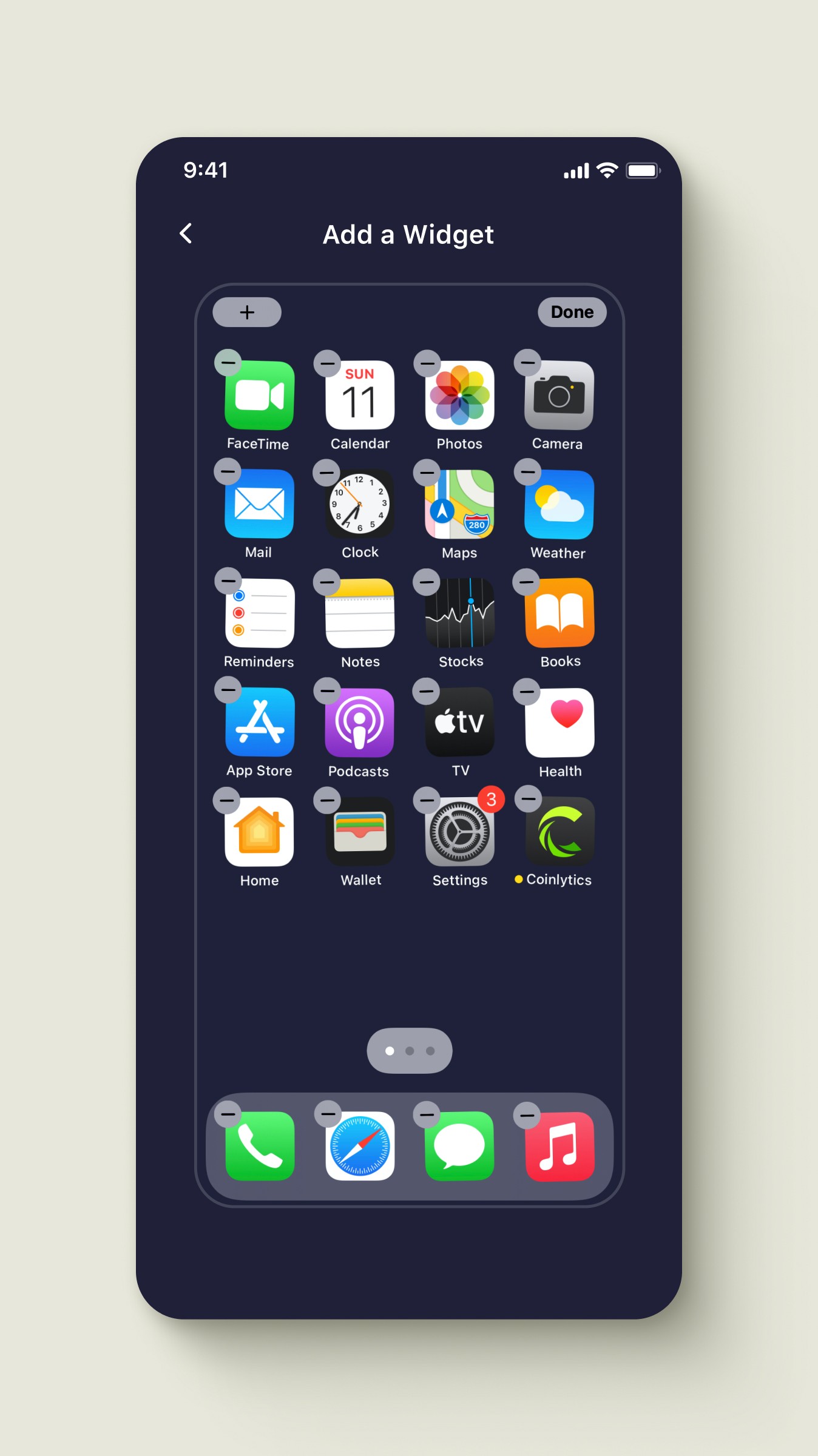
Video Tutorial
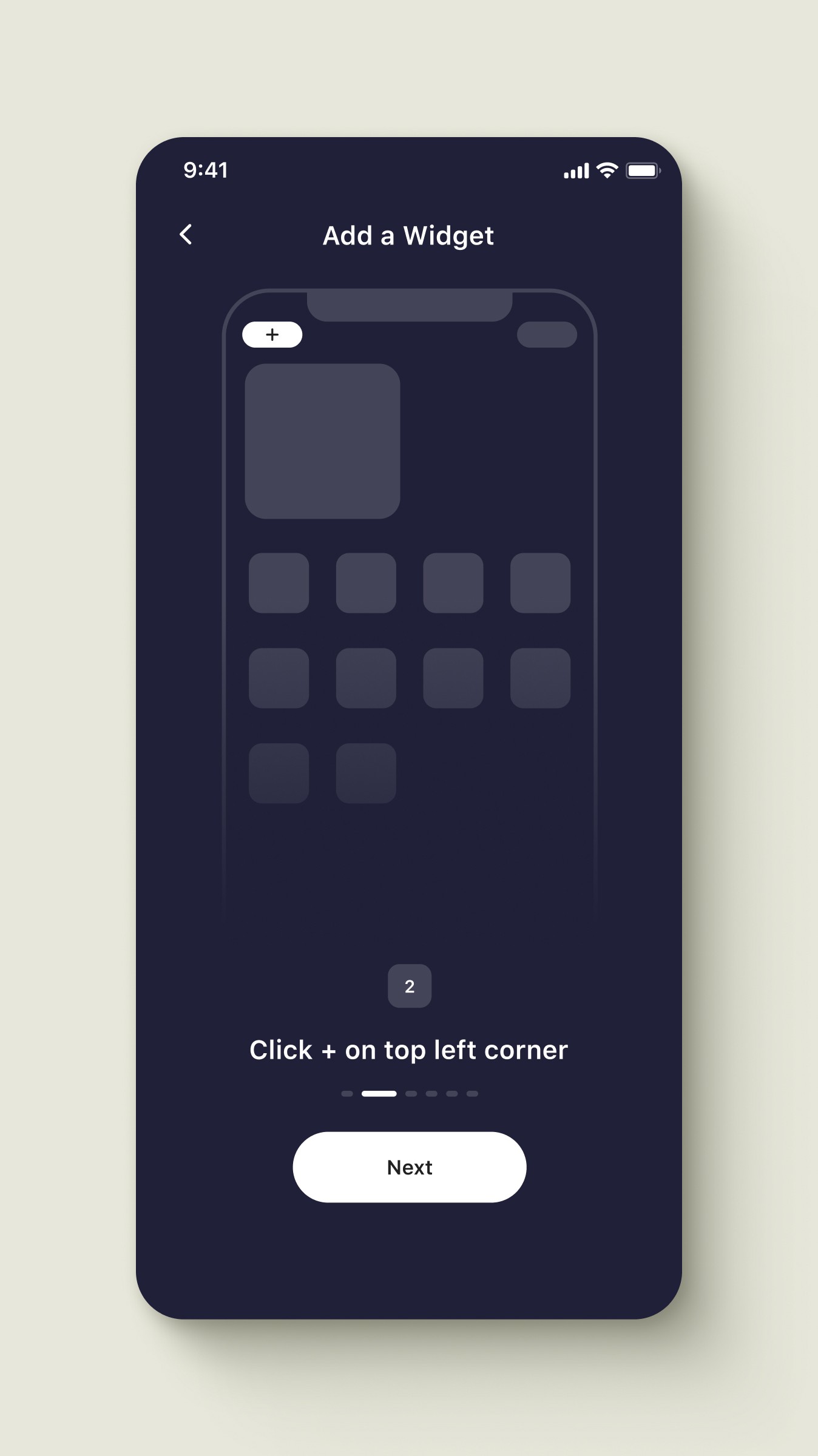
Illustrated Guides
Outcome
External iOS guidelines failed. Users abandoned setup when redirected to Apple's website. Video tutorials showing actual widget installation succeeded, with 80% of users completing setup versus other methods.
solution
Smart Data Hierarchy for Small Screens
iOS widgets come in three sizes with different space constraints. I implemented progressive disclosure: small widgets show essential data (price, percentage change), while larger widgets add volume, market cap, and blockchain metrics.
Progressive data across three sizes:
Large: chart, volume, cap, highs, lows
Medium: removed chart, kept transaction count
Small: price, change, mini trend line
Smart sacrifices for legibility:
Critical data visible on every size
Mini trend line replaces full chart
Color coding communicates sentiment instantly
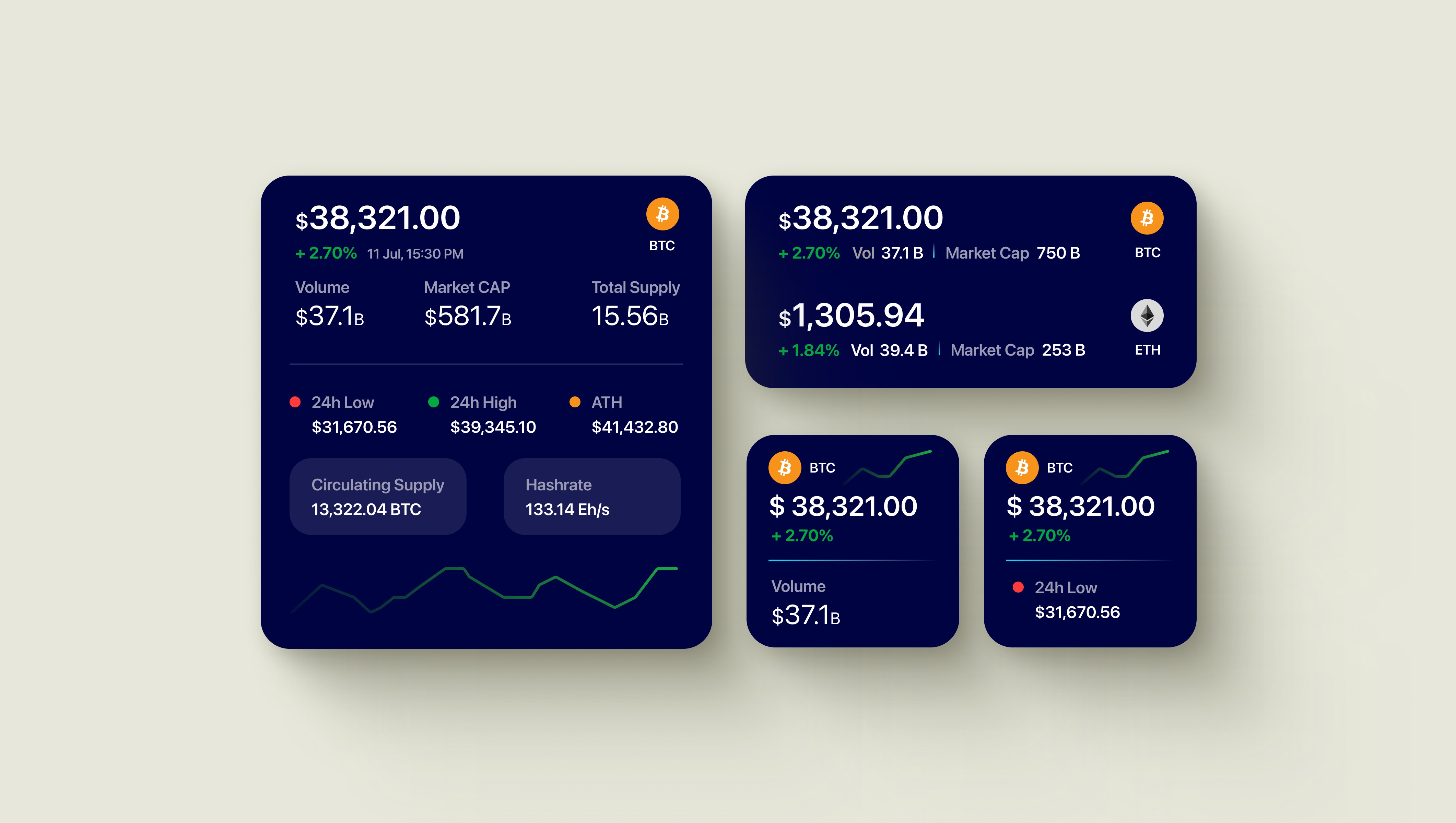
Large, Medium and Small Widgets
solution
Widget Design Variations
Since iOS doesn't support widget customization, users need pre-designed options. I created 33 unique widget styles across three sizes, providing 100+ total variations. Each maintained clear data hierarchy while offering visual differentiation from competitor apps.
From concepts to final designs:
Over 800 designs created
Organized into small, medium and large widgets
Dark and light themed widgets
Minimal, data-dense, visual-first bold
Personalization without compromise
Aesthetic choice without sacrificing data
Dark theme aligns with crypto preference
Clear naming prevents iOS confusion
Variety differentiates from single-widget competitors
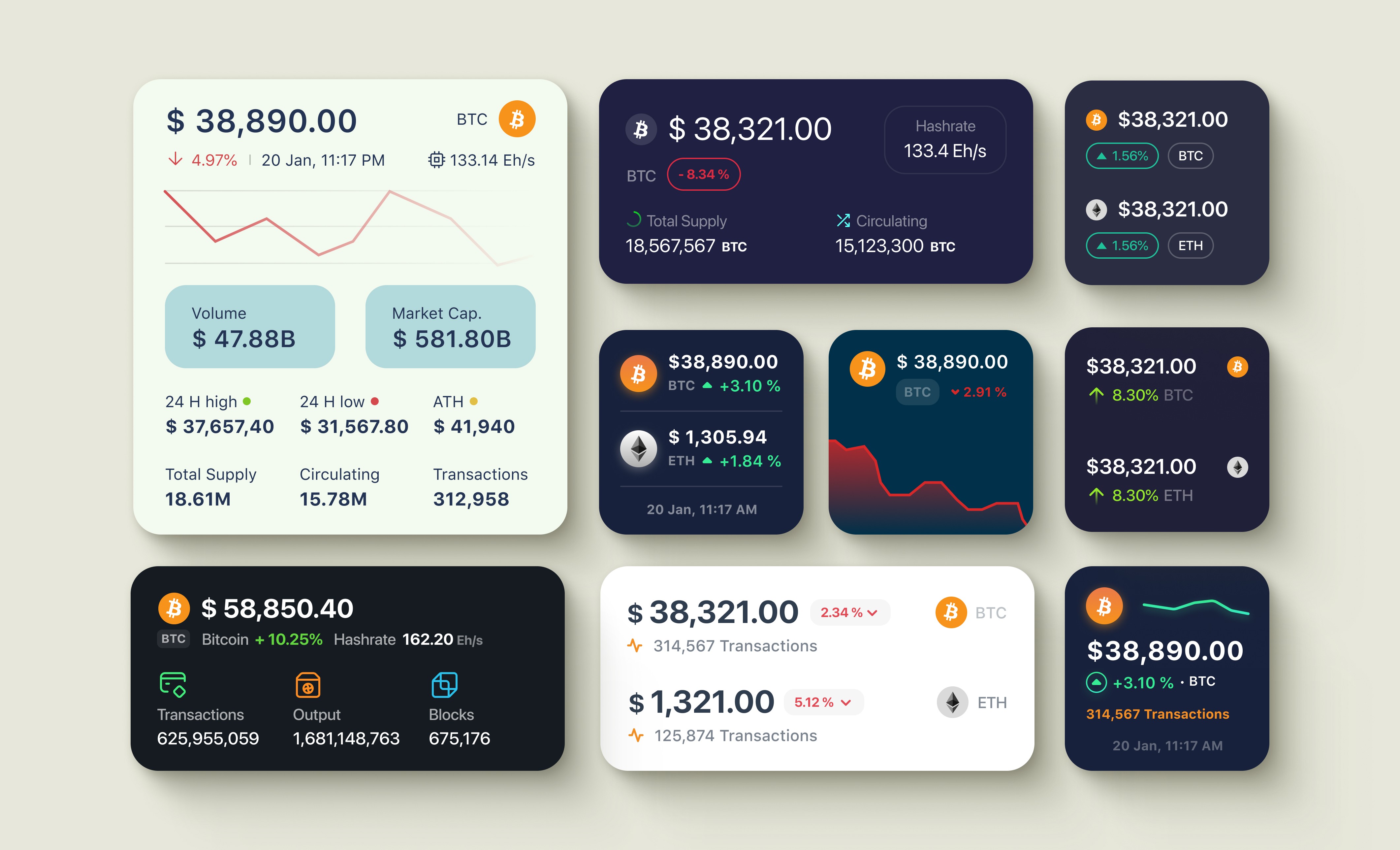
Solution
Video Tutorial for iOS Widget Setup
iOS doesn't allow in-app widget configuration. Users must exit the app and follow a 5-step iOS process. Linking to Apple Support felt impersonal and increased drop-off.
Testing two tutorial approaches
Two tutorial versions, tested with users
Video outperformed illustration completely in testing
Why it worked
Shows actual iOS interface users encounter
Eliminates translation from illustration to reality
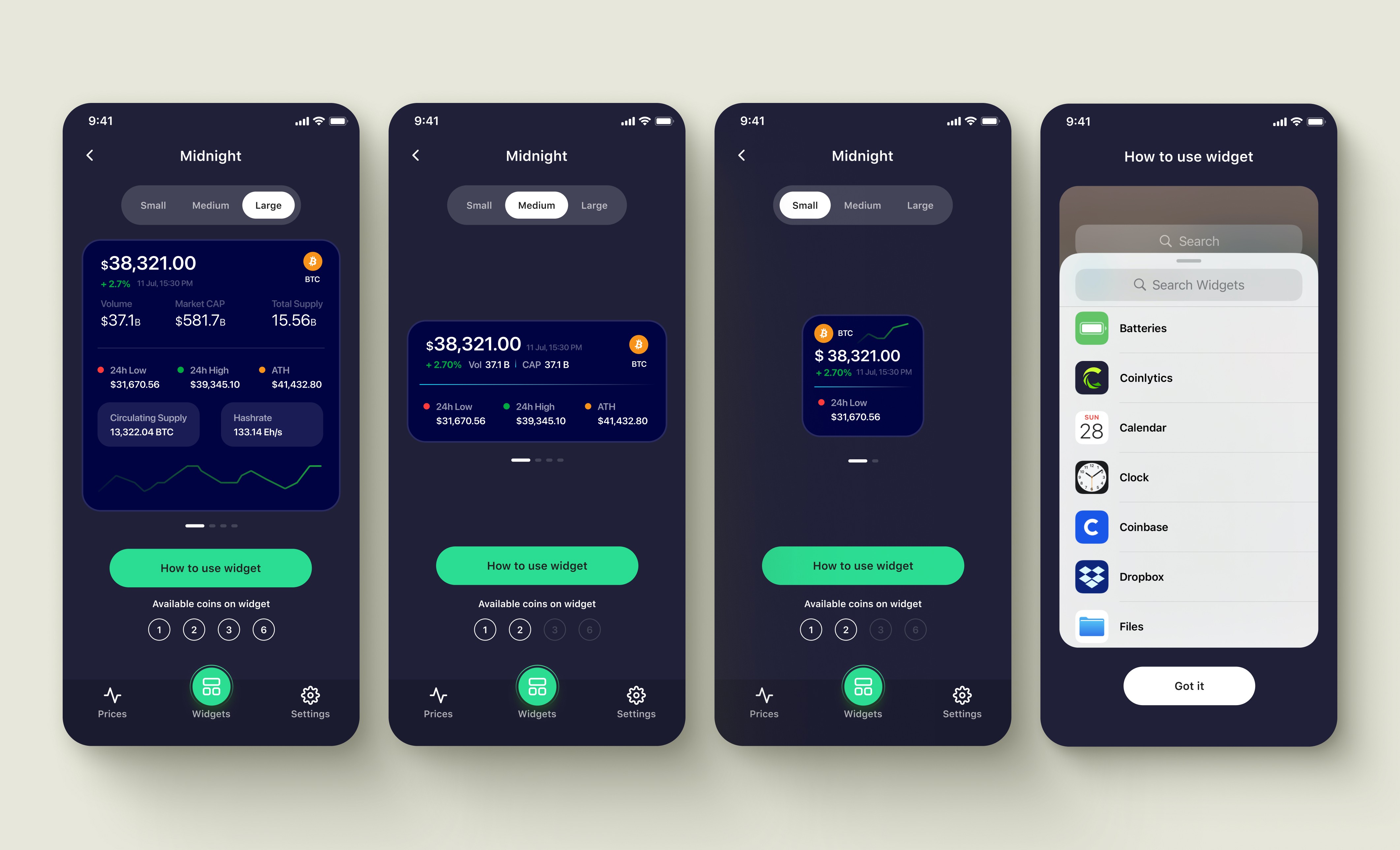
Tutorial
Solution
Comprehensive Alert System
Beyond widgets, I designed advanced alerts covering price, percentage change, market cap, volume, blockchain updates, and wallet tracking. Users received notifications via push, SMS, or email based on preference.
Highlights
Price to blockchain update coverage
Push, SMS, or email delivery
Exchange and wallet-specific tracking
Single app for all monitoring
Serving both user types
Most comprehensive crypto alert system
Flexible notification channel choice
Replaced multiple tracking apps
Retained advanced users
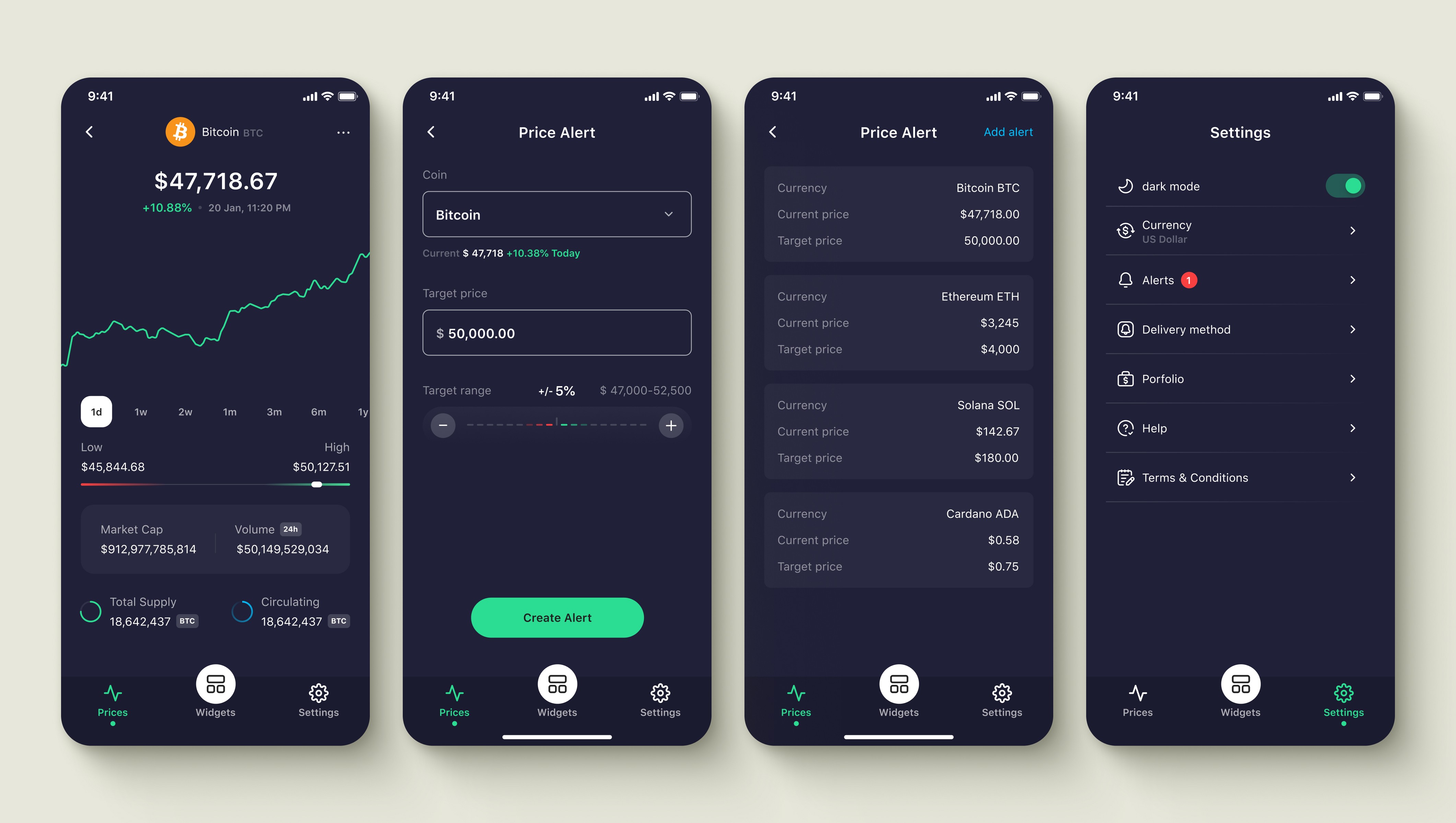
Price Alert
Solution
Portfolio Tracking
Technical constraints prevented connecting crypto wallets directly. I proposed manual coin entry with local storage instead. Users built portfolios without linking accounts, keeping holdings private while tracking performance.
Highlights
Manual coin entry, no wallet connection
Data stored locally on device
Complete privacy, no account linking
Track performance without security risk
Serving both user types
Avoided technical implementation complexity
Privacy appealed to security-conscious users
No API dependencies or failures
Faster development timeline
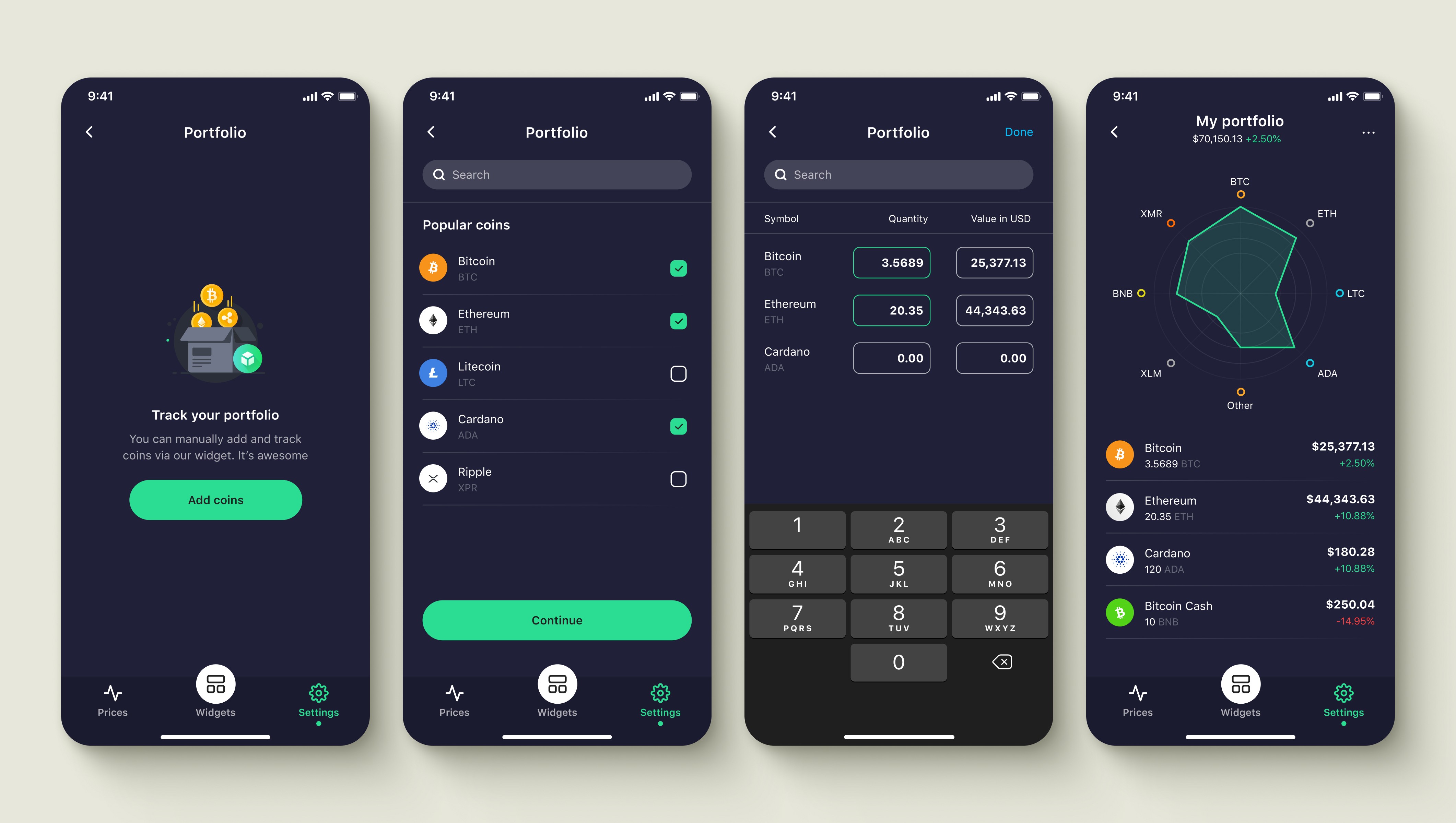
Portfolio Tracking
components
Building for Scale and Quality
I created a lightweight component library to maintain consistency across 100+ widget designs and app screens. Reusable components accelerated design iterations and ensured visual coherence as the app scaled beyond its initial widget focus.
Highlights
Buttons, cards, badges, inputs
Consistent spacing and typography tokens
Reusable across widgets and app screens
Organized by function and size
Serving both user types
Design consistency across 100+ widgets
Faster iteration on new features
Easier developer handoff
Scalable as app expanded
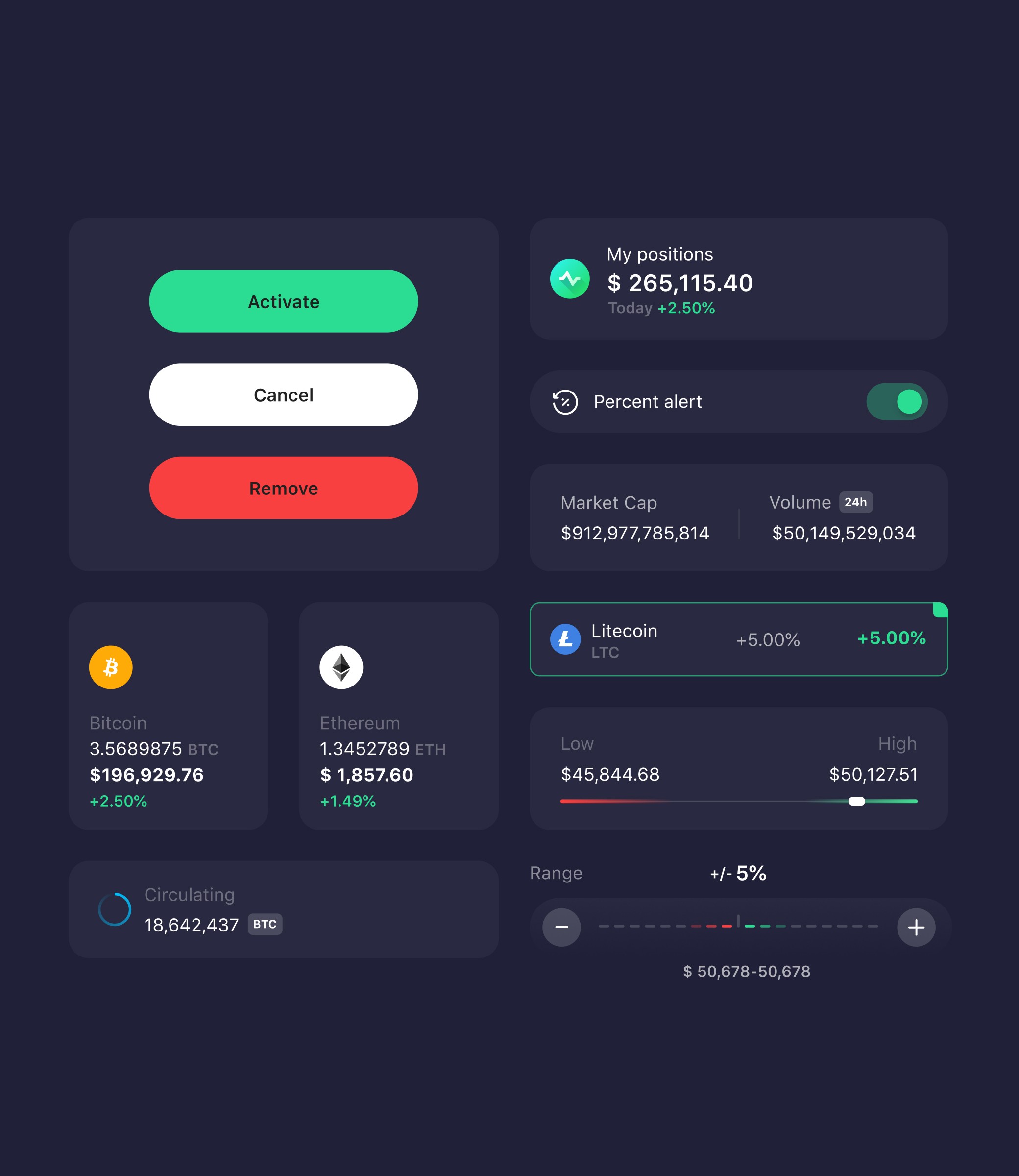
Components
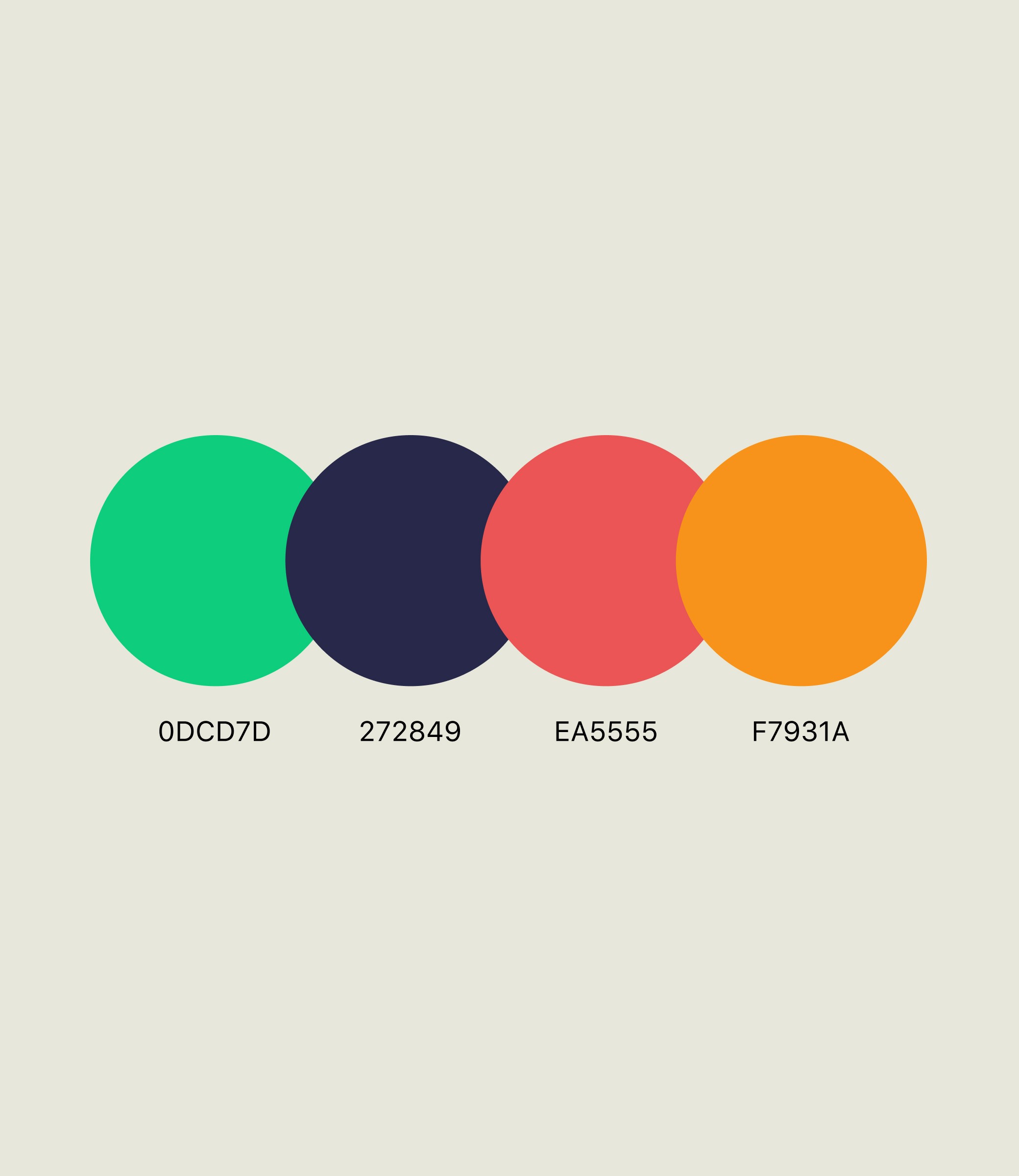
Colors
result
From Friction to Seamless Setup
Coinlytics evolved from a widget-focused app into a comprehensive crypto tracking platform. While widgets remained the core differentiator, price alerts and portfolio tracking transformed it into an all-in-one solution. Users could monitor prices, set alerts, and track portfolios without switching apps or searching online.
Love this app! There are so many widget combinations and styles / I can layout all the crypto that I track in my local currency and subscribing for the alerts was definitely worth it for me. I also love the new Lightning Widget / I just recently set up a node and so this is kind of helpful. Keep it up. - App Store review
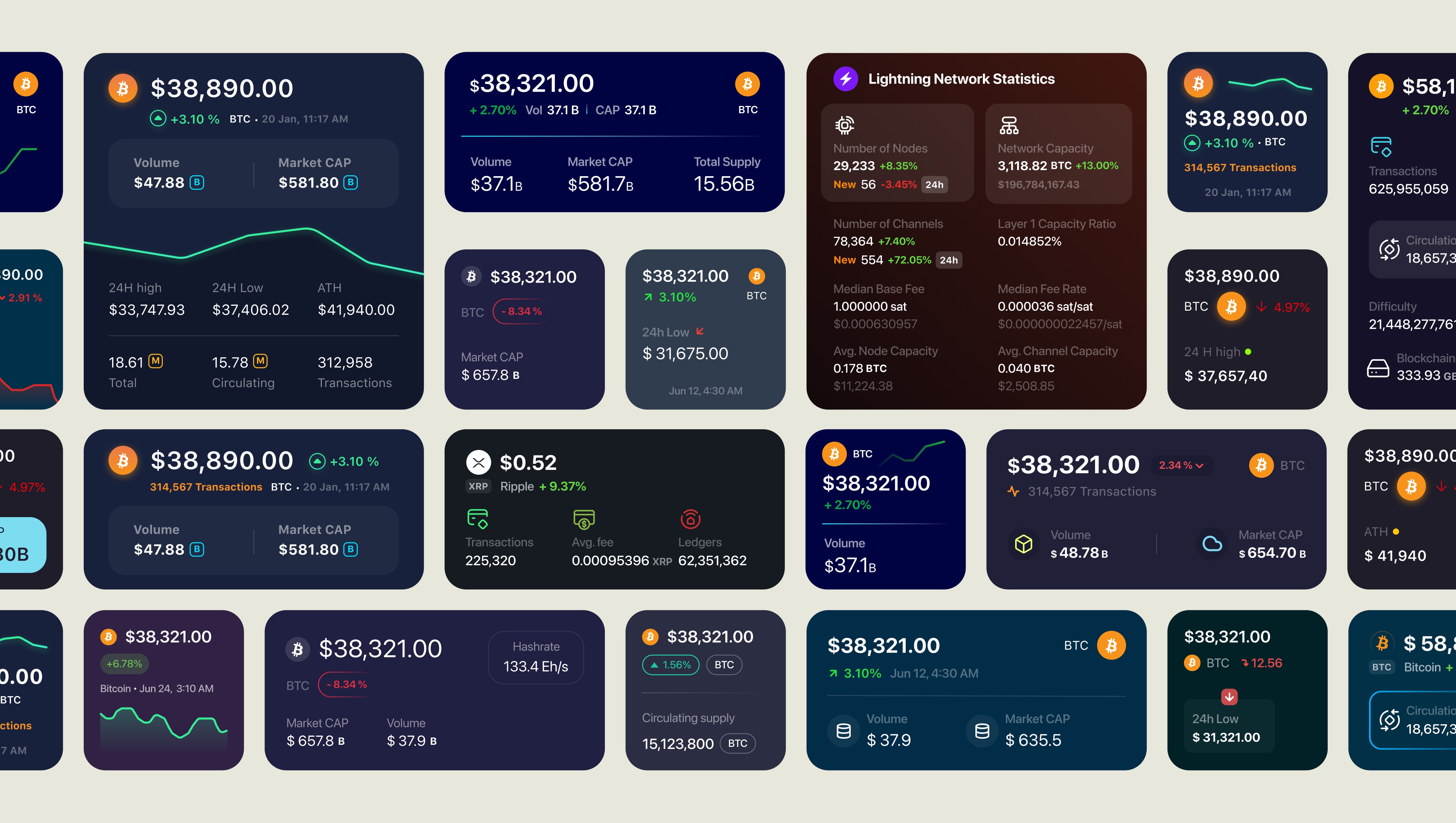
Widget Variations